


Plan deeper.
Never lose the thread.
Open source workspace for spec-driven development. Read long plans, see exactly what changed, and iterate alongside the agents writing them with you.
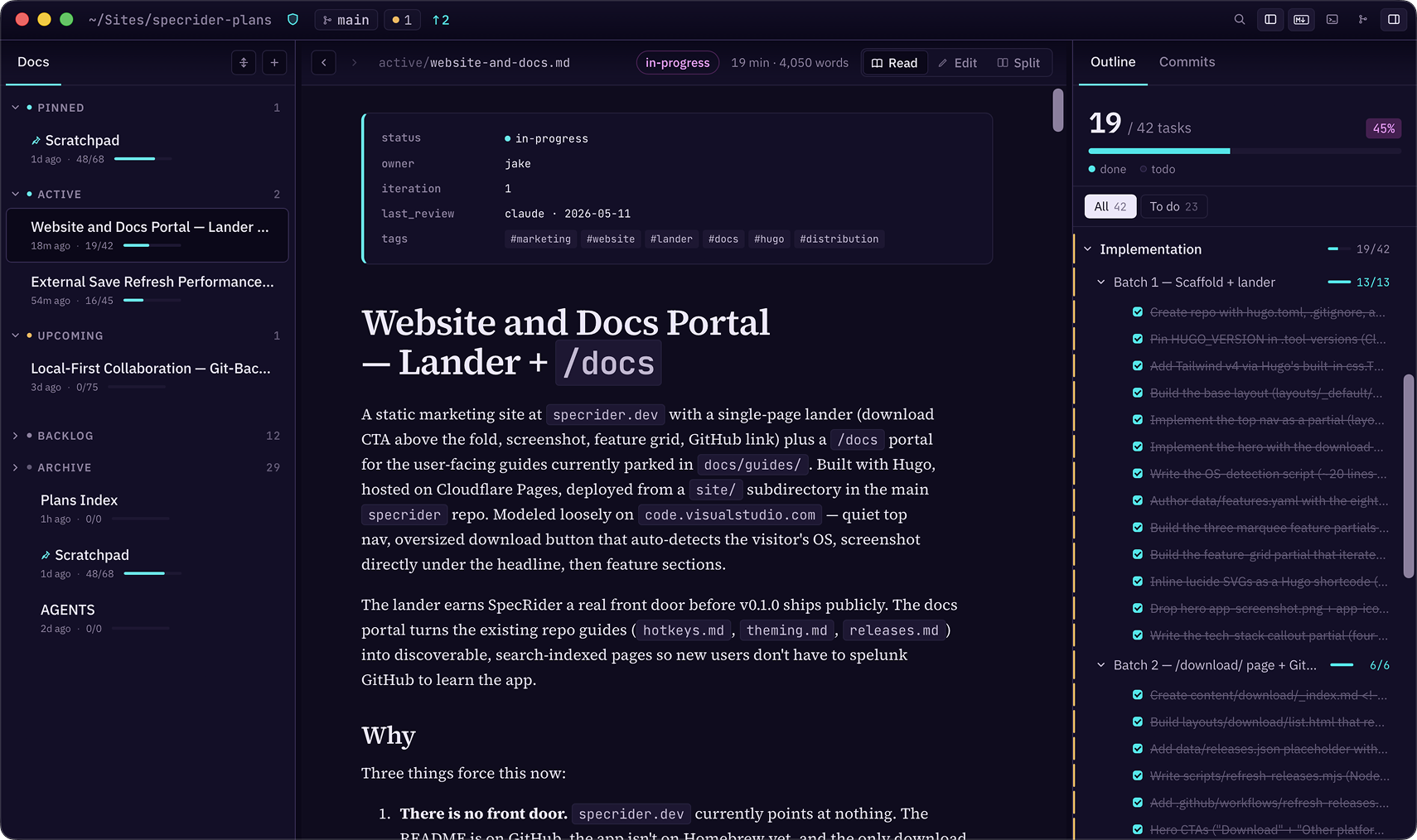
Plan in Markdown. Read it like a book.
Diff it like code.
Outline, diff gutters, agent terminal, change-aware editor — every surface is built around one question: what changed since you last looked?
An outline of every spec, always in view.
SpecRider's outline isn't a breadcrumb you toggle when you get lost — it's a persistent right rail that's there the entire time you're reading. As you scroll, the active heading highlights. As you check off tasks, the parent's progress bar fills.
Click any row and the reader jumps with a brief highlight-fade so you never lose your place. The same outline keeps tracking your cursor in Markdown editing mode — edit and read views share one navigation surface.
- GFM task lists roll up to parent heading progress, automatically.
- Three density modes — headings only, headings + numbered, or every list item.
- Jump anywhere with ⌘P, fold all with ⌘⌥.
See what changed without ever leaving the spec.
Plans live in Git. SpecRider treats that as a first-class data source — not a footnote.
- Inline change awareness. Unstaged edits show as gutter bars in the editor, dots on outline rows, and stripes on rendered blocks.
- Diff Explorer. Split the reader with a per-plan commit rail. File-touch, branch, and explicit-SHA discovery.
- Per-line blame. Optional inline blame in the editor — remember why a task ended up phrased the way it is.
- Jump hunks with ⌘⇧J ⌘⇧K. Full-repo graph with plan-relevance overlay.
Bring your agent into the same window.
Most spec work is a loop: read the plan, ask the agent to revise it, watch the file refresh, repeat. SpecRider runs the agent terminal inside the same window — the loop doesn't make you alt-tab.
- Real PTY-backed terminal with WebGL rendering, ligatures, ANSI palette, 256 KB reattach buffer.
- OSC 7 cwd tracking. When the agent cd's, SpecRider knows. The title bar reflects it.
- Plan context stays visible beside the terminal, so the agent can work from the same Markdown file you're reviewing.
Batch 1 — Diagnostic helper
The rest of the kit, in one window.
Eight more capabilities built on the same opinions — local-first, keyboard-first, no servers in the loop.
Document browser
Left rail grouped by directory bucket — status, owner, tags, task progress, change chips. Inline rename, duplicate, move, sort by modified / progress / status.
Split view
Editor left, rendered preview right, draggable divider, opt-in heading-anchored scroll sync. Per-window ratio persists.
Search at three tiers
⌘P quick switcher · ⌘F Read-mode find via the CSS Custom Highlight API · ⌘⇧F ripgrep-style across every plan.
Typography that respects reading
Source Serif 4 body, IBM Plex UI, configurable size and line-height, hyphenation, ligatures. Full-width tables break out of the measure. Shiki syntax highlighting.
Twenty themes, hot-reloaded
20 hand-curated light + dark themes, accent override, system-pair selection. Drop a JSON file into themes/ — it appears in Settings within a second.
Rich Markdown
Mermaid diagrams with theme-aware re-render, KaTeX math, GFM footnotes, GitHub-style callouts ([!NOTE]), local + remote images via custom protocol.
Multi-window
One plans-root per window, persisted independently. ⌘⇧N new window with default folder, ⌘⇧O picks a fresh one. Position and size auto-restore.
Pins
Right-click any plan or outline section to pin it. Persists per plans-root. Cheap, fast, no folders required.